HP Workforce Experience Platform (WXP)
Design award winner!
I helped contribute to the evolution of WXP’s design system, which received the 2025 UX Design Award from the International Design Center Berlin
Device Timeline for WXP
The Device Timeline is an IT management tool that tracks employee PC’s or laptop’s historical data and telemetry. It provides IT Administrators and Technical Support workers with granular, sequential visibility over time and presents them with information and suggestions to analyze and fix issues.
PRODUCT DESCRIPTION
IT Admins and Tech Support workers need to quickly discover the root cause of device issues and be provided with guidance on remediation. The current device timeline feature required users to view all device activity on a single KPI line, which was ineffective since the various KPIs could overlap and not be visible. In addition users could not easily see data trends and correlations to help find root causes. They also were not provided with any assistance in remediating the issues. I was tasked with providing a better method for users to quickly and easily view device KPIs over time and actively assist them in remediating the issues.
PROBLEM TO SOLVE
SOLUTION
Use the current design system to create the new feature. Also, add new design components to the design system if needed. The design needed to be consistent with the other WXP features, but there was an opportunity to be creative and propose new components for the design system.
Timeline | 8 months for iterative design work, prototyping, usability studies, and using AI to create interactive conceptual designs
I provided the interaction design on this project. I worked with two visual designers to help provide visual design specs for engineering.
I used AI tools to create interactive designs to facilitate communication with stakeholders. I worked with one of the visual designers to create an interactive prototype to be used in an unmoderated usability study, which I created and implemented.
MY RESPONSIBILITIES
Product Designer/UX Researcher
Visual Designers
Product Manager
Engineer
TEAM
Figjam
Figma
Figma Make
Claude
ChatGPT
Highcharts GPT
Lovable AI
TOOLS
Engineer was located in a different time zone and difficult to meet up for discussions
Engineer was not able to create the interactions I requested, but I was able to help by providing code created with AI tools to assist
The feature was highly complex, so getting feedback from others was often difficult
CHALLENGES
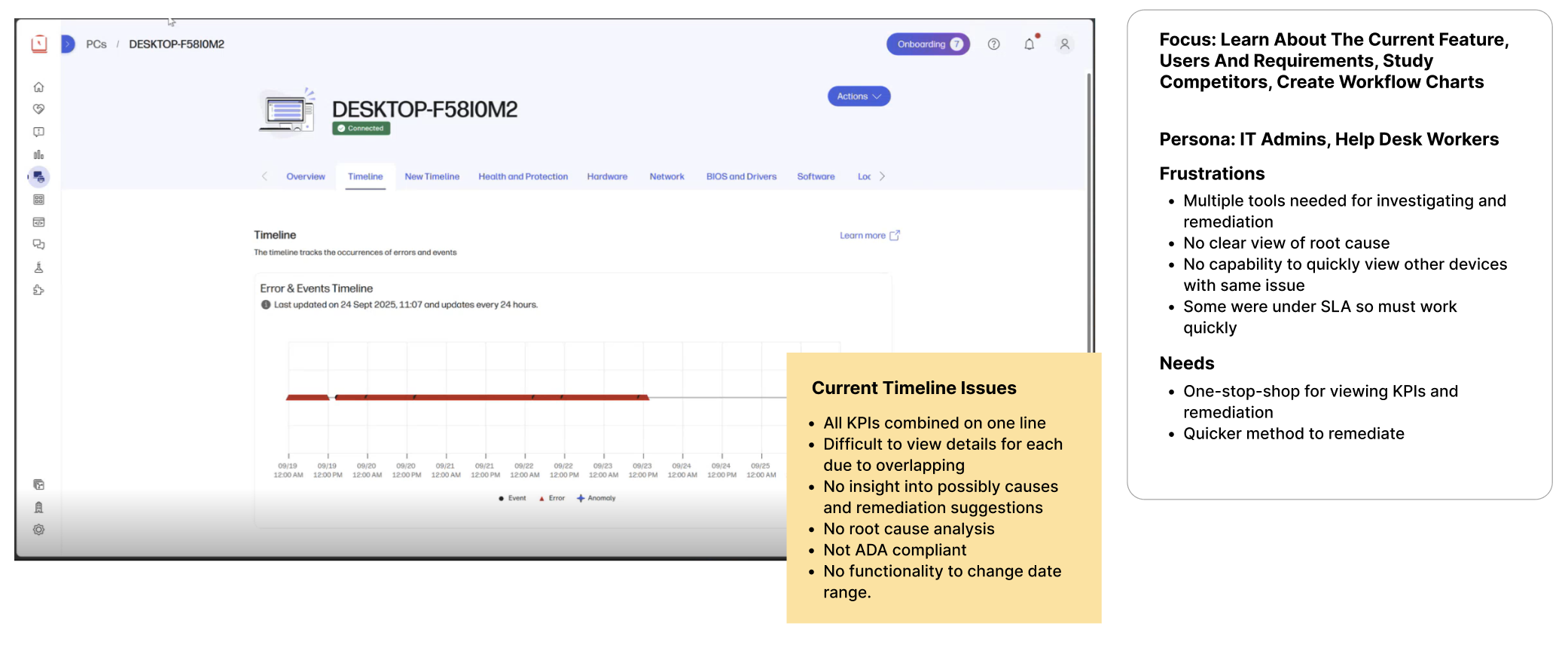
To learn more about the feature I first reviewed the current WXP device timeline, as well as the timeline features in other products. I researched what users did and did not like for the competitors. I also observed the user interviews conducted by an HP UX researcher for a prior timeline feature, and I created some flowcharts for common tasks.
PHASE 1 - RESEARCH AND INFORMATION GATHERING
PHASE 2- EARLY CONCEPTUAL DESIGNS
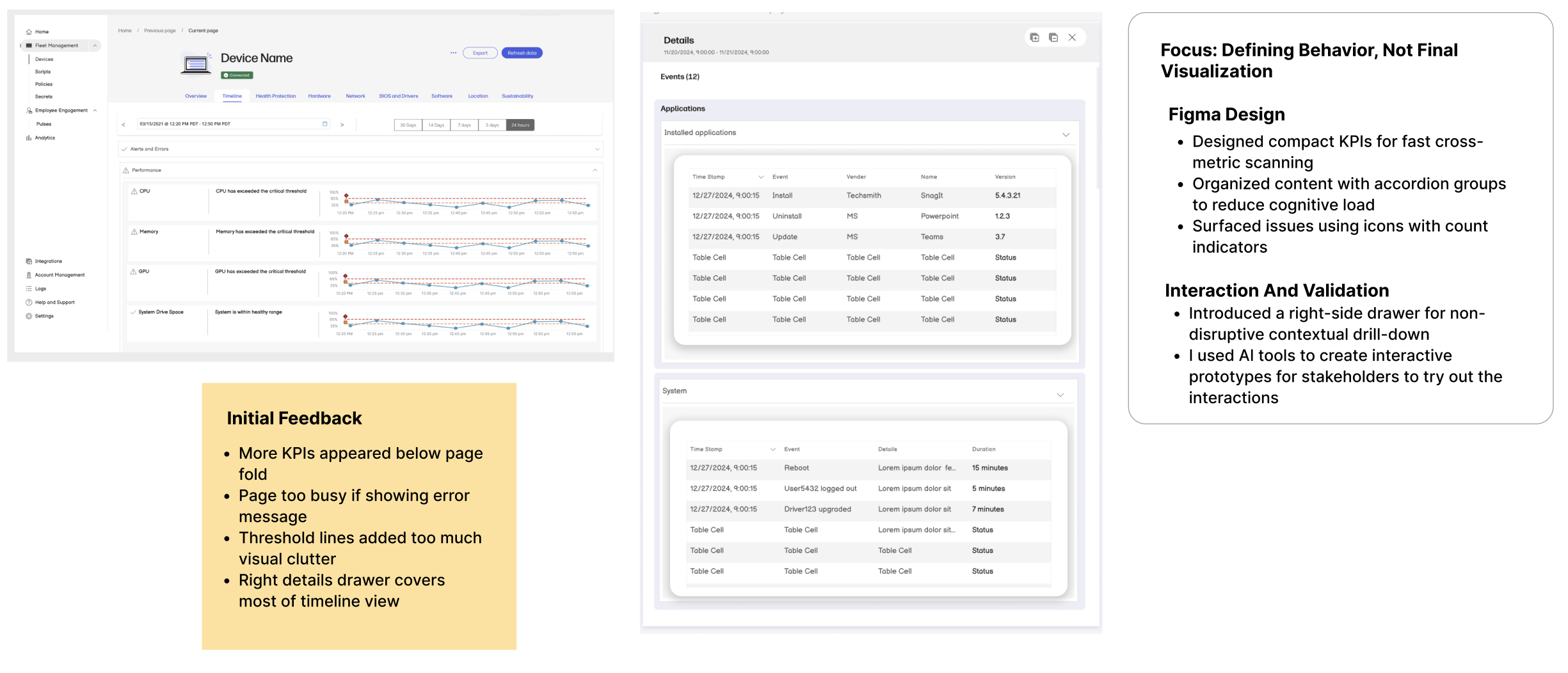
I shared multiple iterations of designs with stakeholders before deciding on a design for user testing.
PHASE 3 - HIGH FIDELITY PROTOTYPE AND USER TESTING
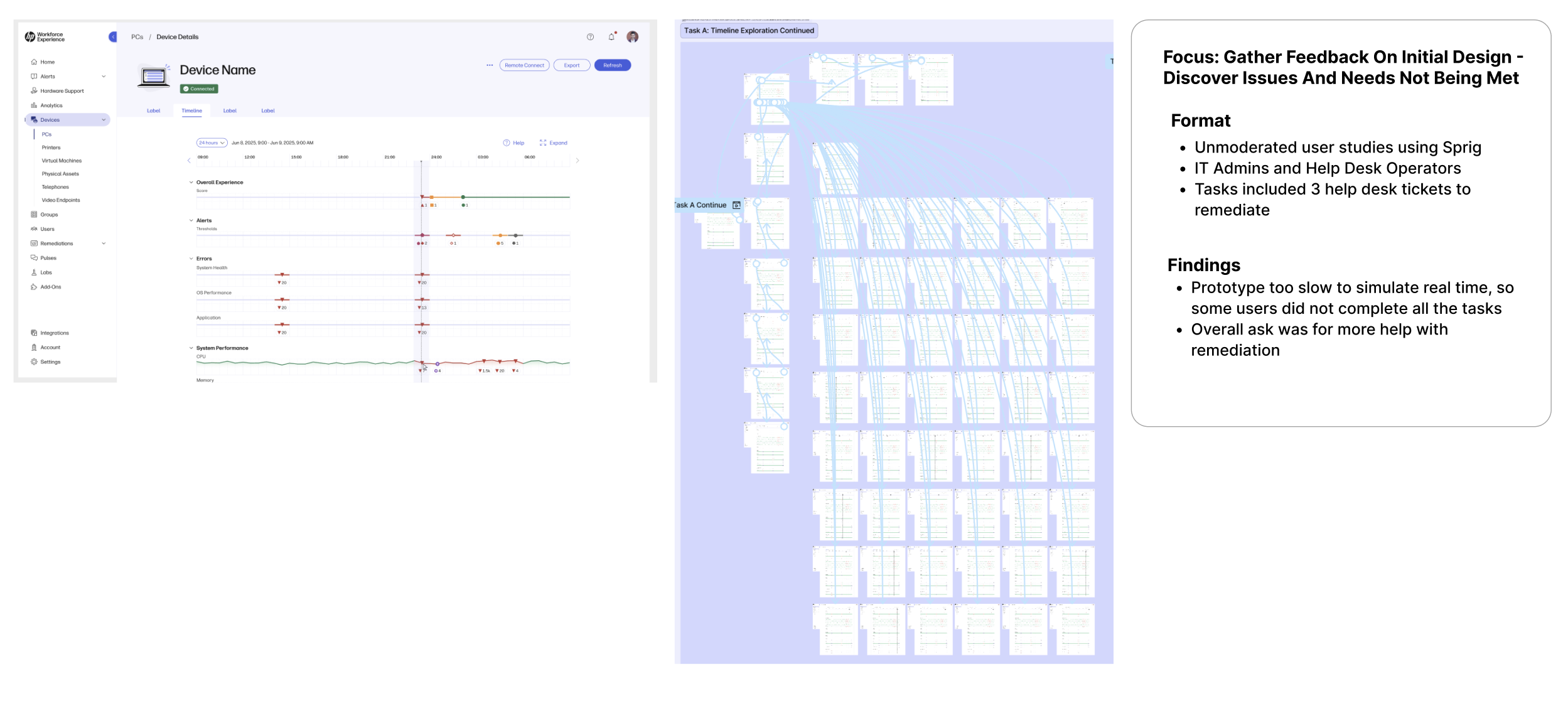
I created tasks for an unmoderated user study using Sprig. I worked with a Visual Designer to create the interactive prototype in Figma used during the study. I watched all the study sessions, so I could create a list of updates. Mostly users wanted to see more guidance provided when remediating issues.
PHASE 4 - DESIGN UPDATES
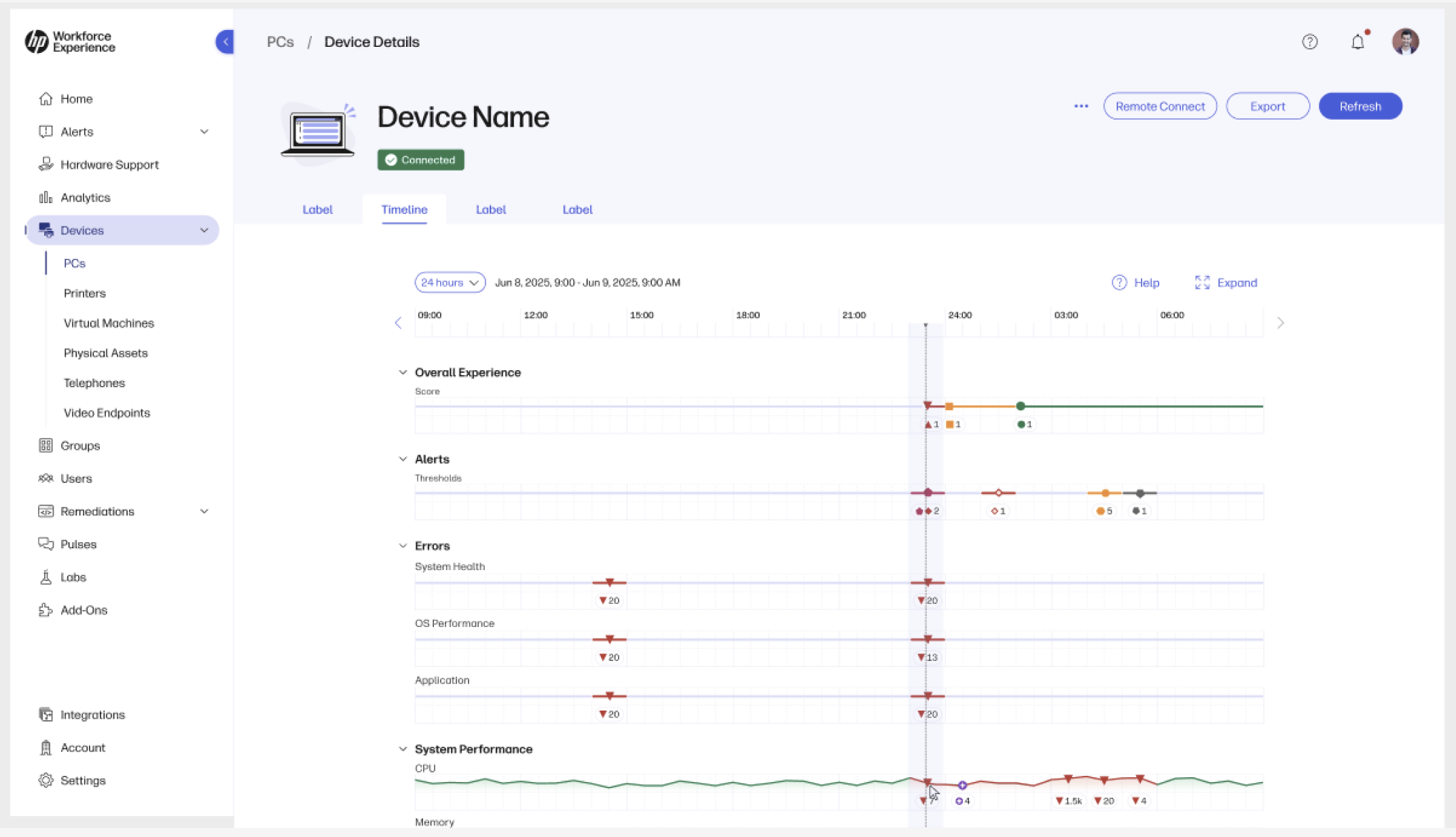
I updated the designs based on the usability session feedback.
Timeline Before
KPI Right Drawer Details Before
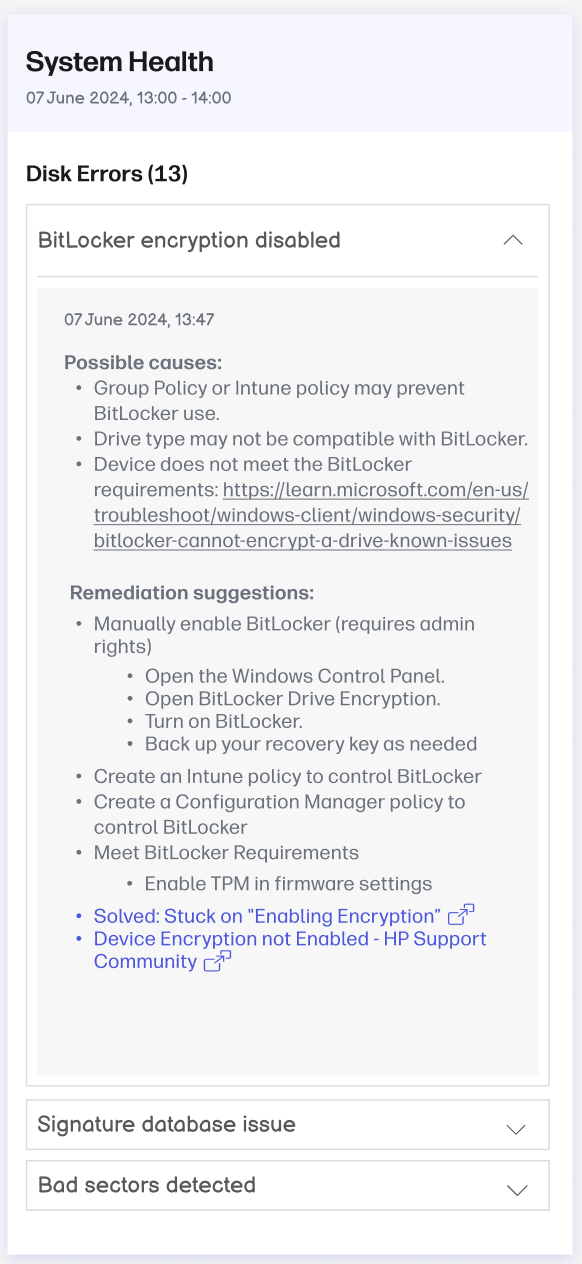
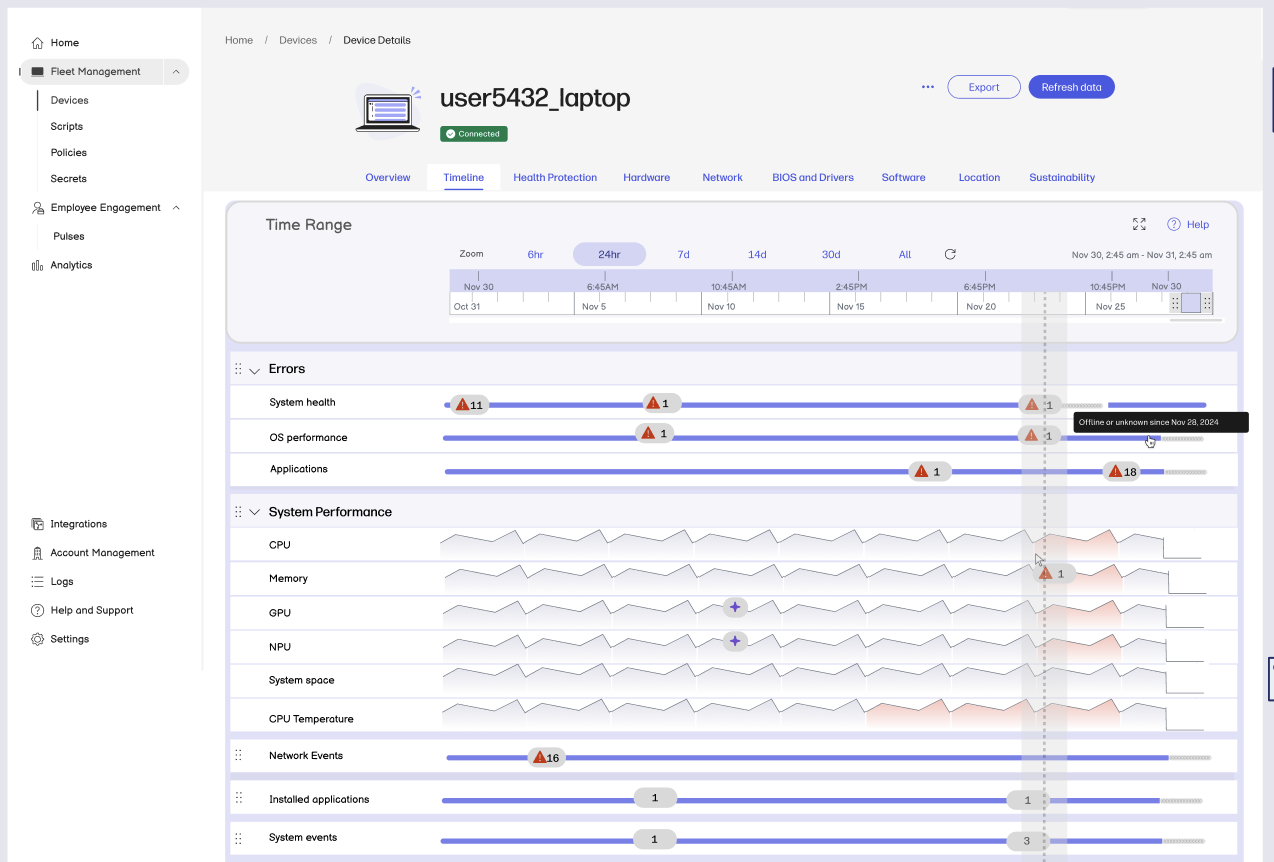
Timeline After
KPI Right Details Drawer After
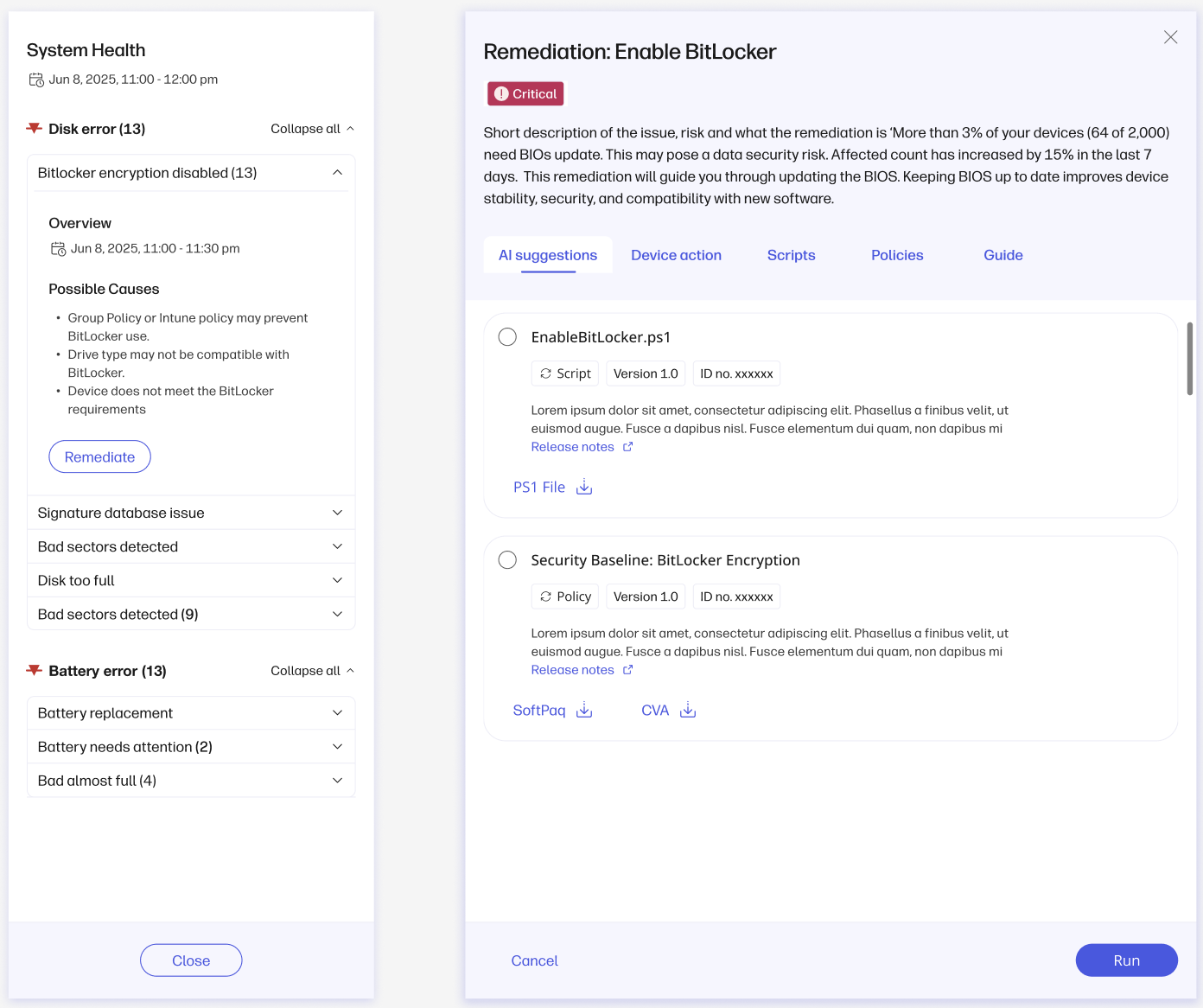
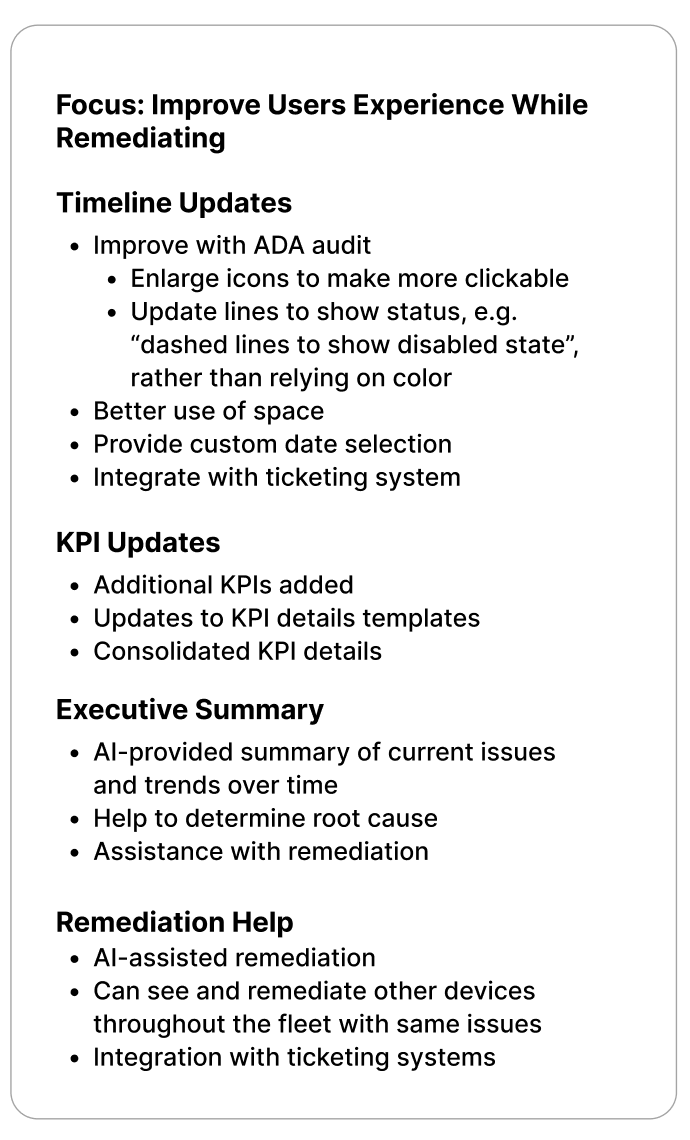
Design specs were done in Figma.
Lessons learned from the user research included discovering users wanted assistance in finding the root cause analysis of device issues and also wanted the feature to provide a recommended “one-click” option to fix the issues. Just viewing KPI activity and a bulleted list of possible causes and recommendations did not provide them with enough confidence to determine how to remediate